1. function introduction
The client actively initiates one- way monitoring to the terminal device (the client can hear the voice of the device, but the device cannot hear the voice of the client).
2. operating instructions
There are three ways to initiate monitoring:
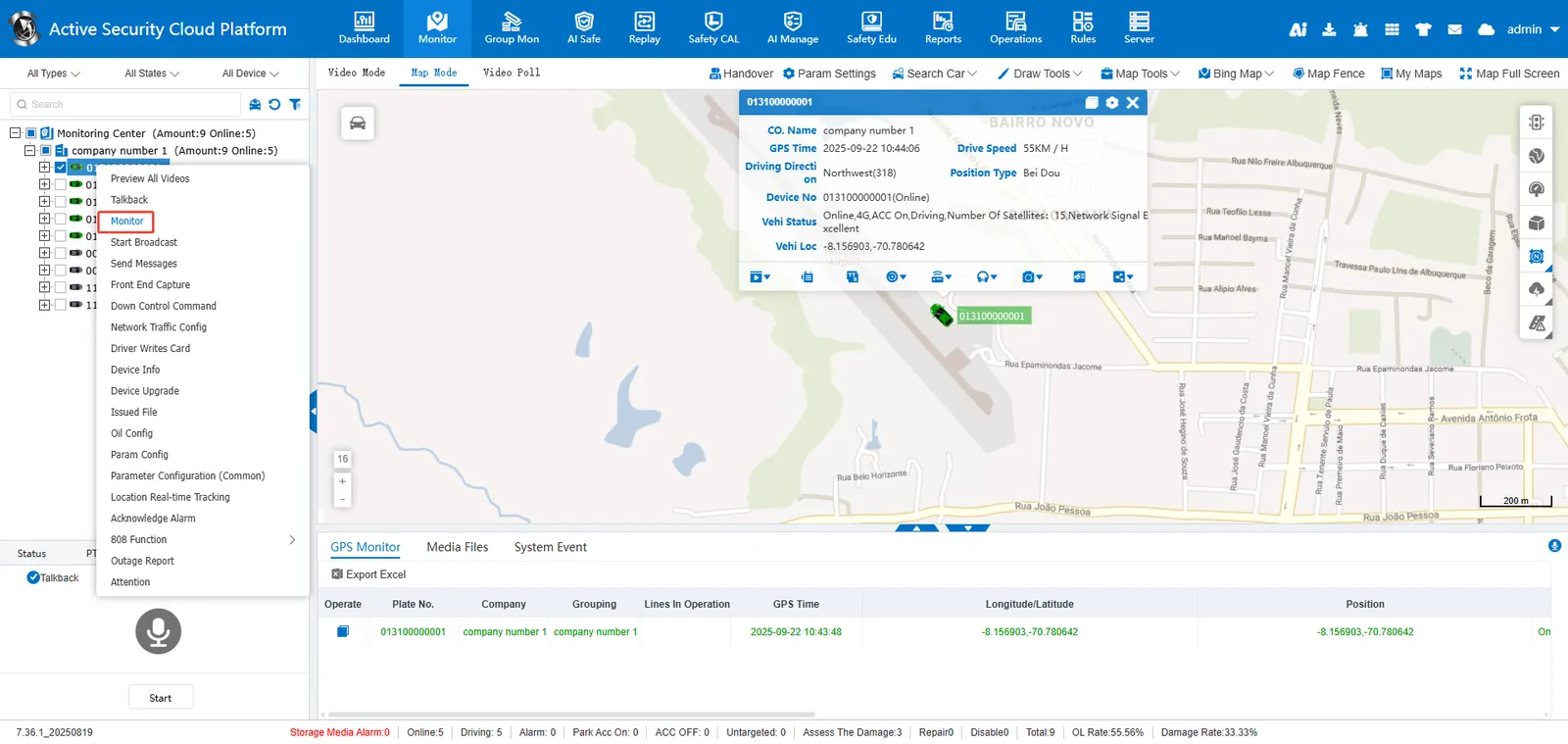
a. in the vehicle monitoring tree select the vehicle> right click> [start monitoring]
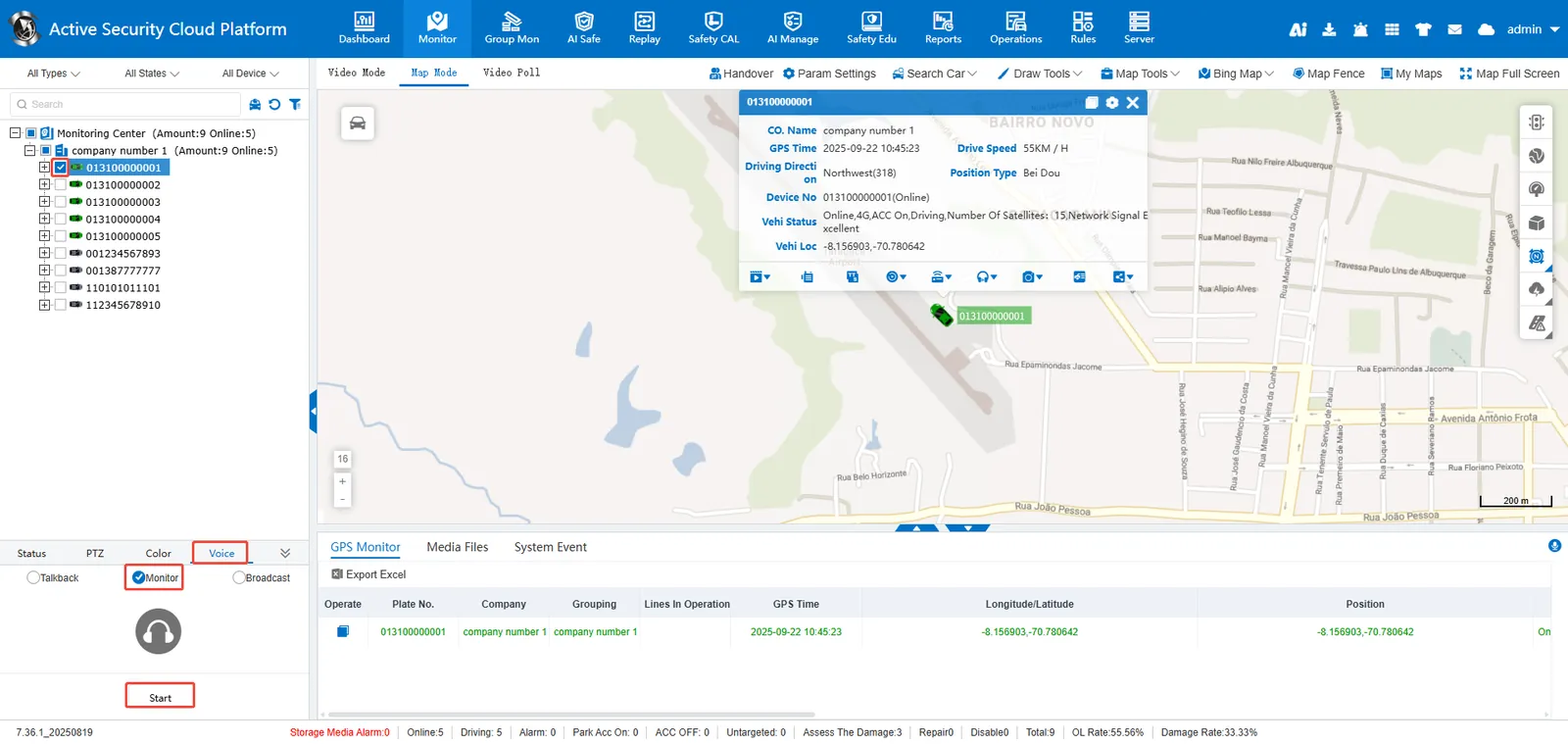
B. in the vehicle monitoring tree, check the vehicle> [voice]> [monitor]> [open]**
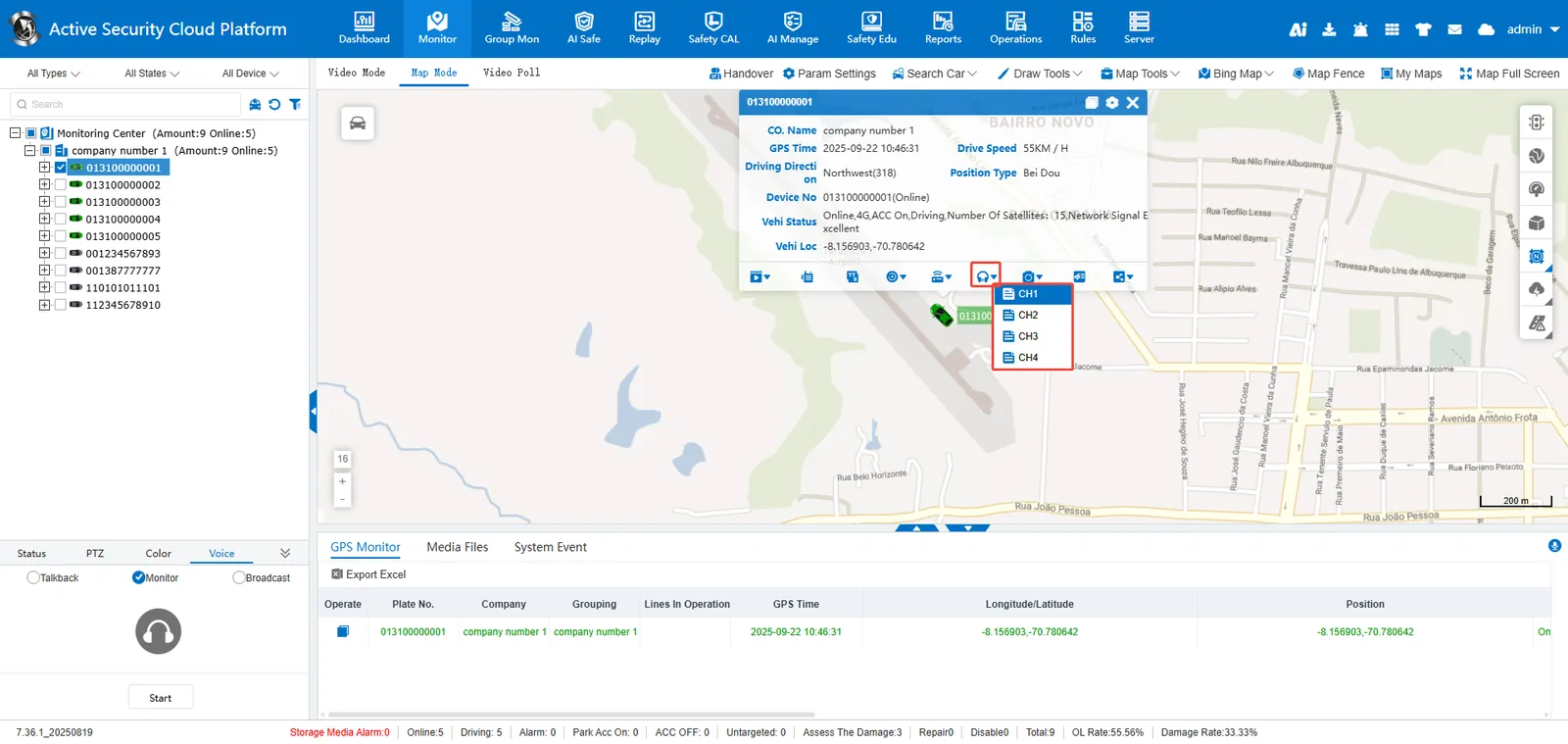
C. in the vehicle monitoring tree, select vehicle> map bubble [more]> [monitor], and click the channel to be monitored **