1 Function description
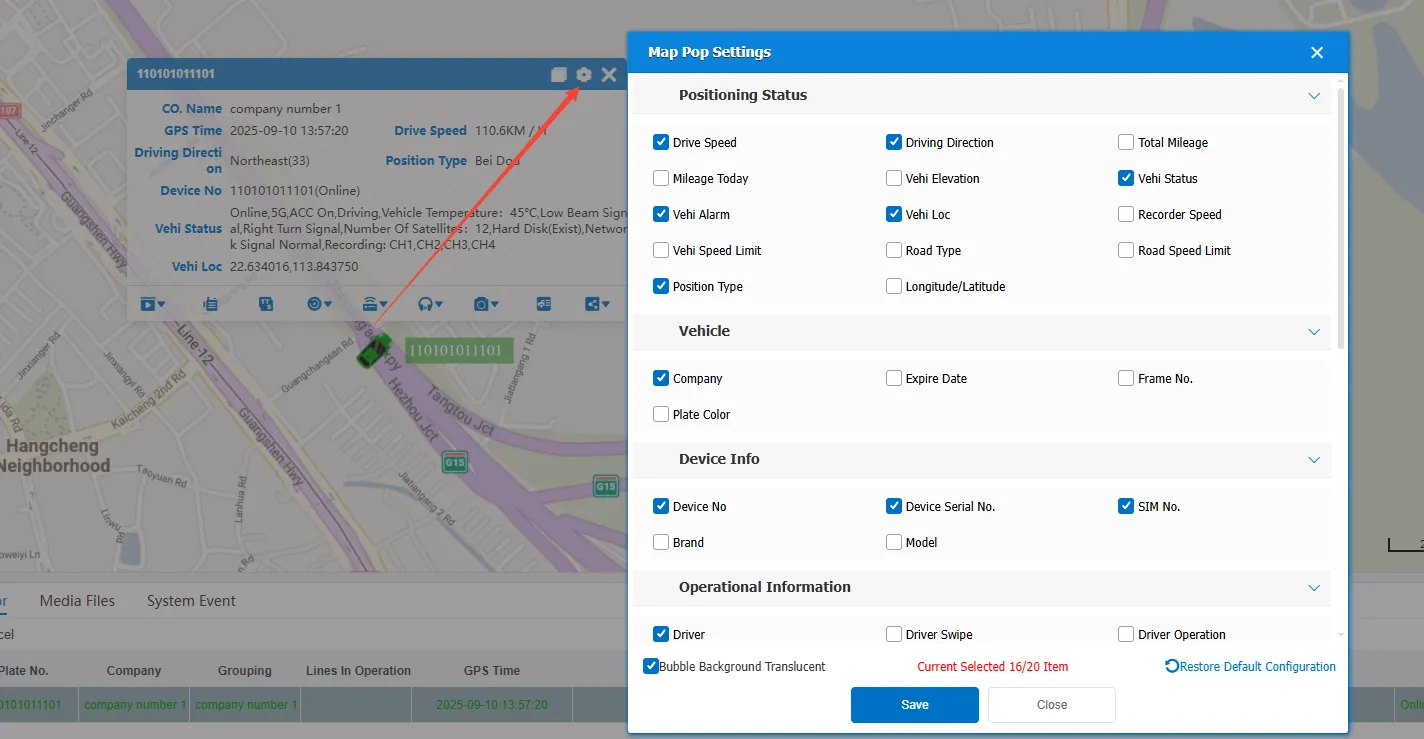
- The user can customize the information display content of the bubble box and realize personalized display by checking the settings.
- Different accounts independently configure the bubble box display content, and the settings of different accounts do not affect each other.
2 operating instructions
Click on the top right corner of the bubble box Set the icon, check the content to be displayed, and refresh the webpage to take effect after saving.