1 Function description
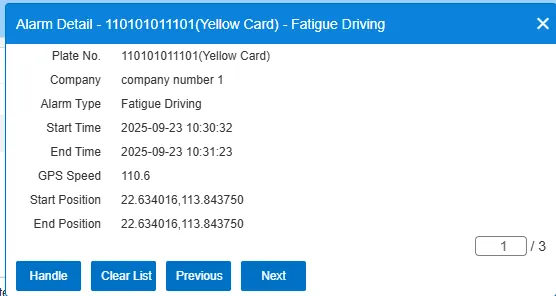
The specific alarm type is displayed in a pop- up window, as shown in the figure.
2 operating instructions
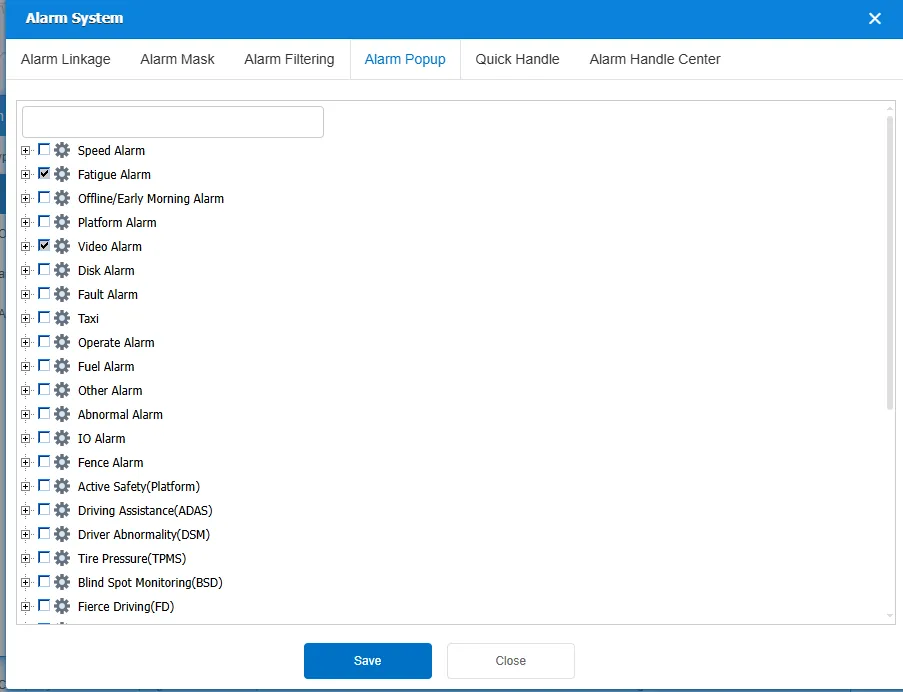
Click the "Alarm System" button above the alarm center. Select the "Alarm Popup" option, enter the alarm pop- up window configuration interface, and check the alarm type to be popup window.