1. function description
When capturing packets continuously for a long time, the following configuration can reduce the memory usage.
2. operating instructions
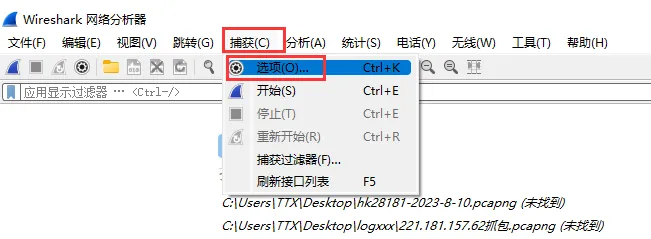
2.1 Start the Wireshark and open "Options" under the "Capture" menu"
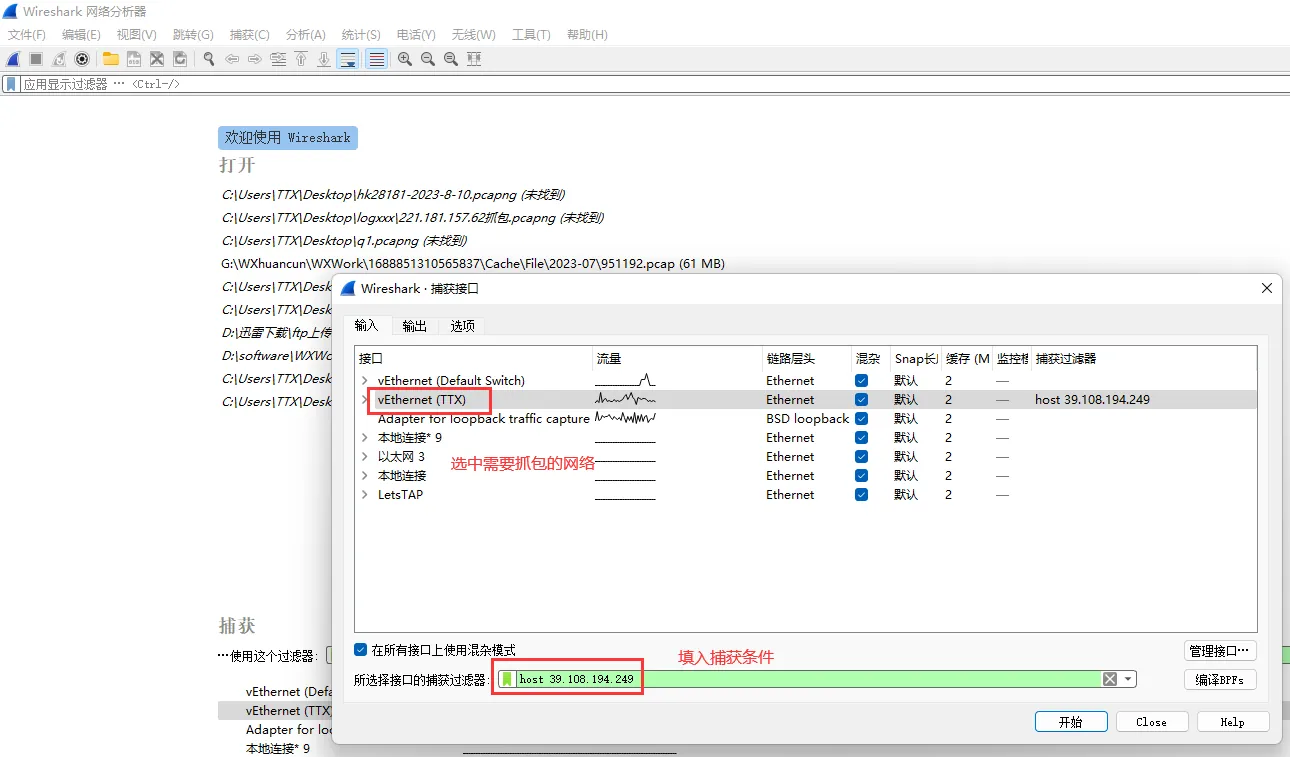
2.2 Open the input menu, select the network to be captured, and fill in the capture conditions
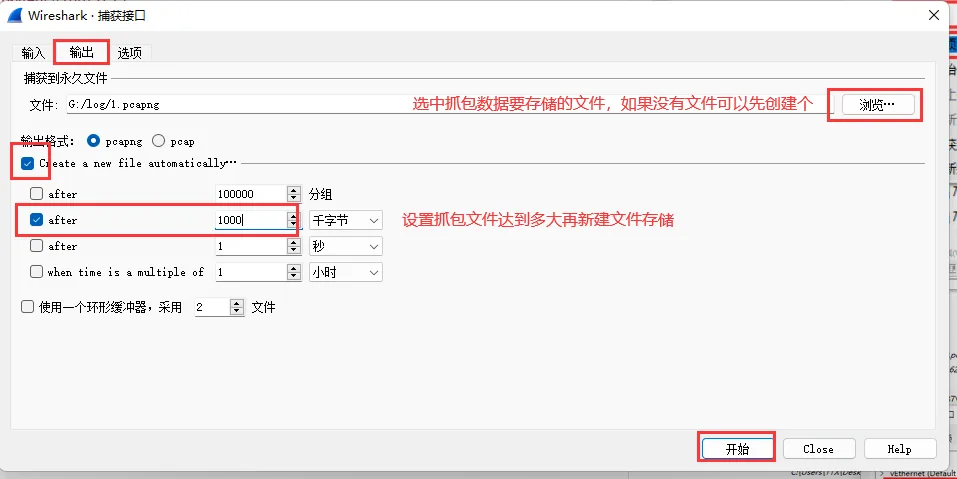
2.3 to open the output menu, configure the capture data to be stored in the specified file (if not, create a new file), select the conditions for creating a new file, and click to start capture.